Barnsbook™ includes a full farm financial tracking system. Log every expense and revenue source, categorize them with IRS Schedule F codes, scan receipts with your camera, and export the data your accountant needs at tax time — all without an internet connection.
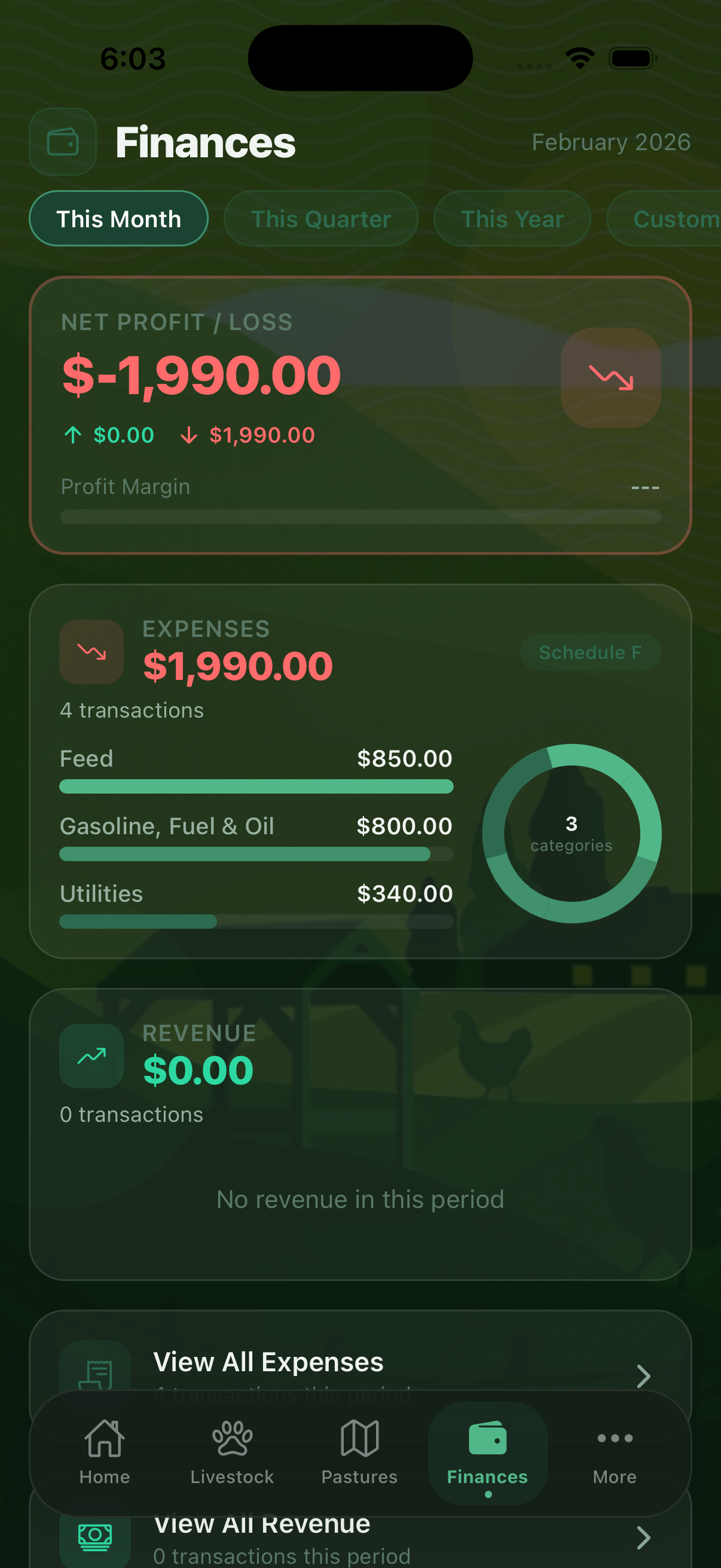
Tracking Expenses
The Expenses tab shows your expense log. Tap + to add a new expense. Each expense record captures:
- Amount — the expense total
- Date — when the expense occurred
- Category — choose from 23 IRS Schedule F categories or your custom categories
- Vendor — who you paid, linked to your Vendors & Suppliers list
- Description — notes about what was purchased
- Receipt photo — attach a photo of the paper receipt
- Payment method — cash, check, credit card, or other
Schedule F Expense Categories
Barnsbook includes all 23 IRS Schedule F farming expense categories so your records are always tax-ready:
- Car and truck expenses
- Chemicals
- Conservation expenses
- Custom hire (machine work)
- Depreciation and Section 179
- Employee benefit programs
- Feed purchased
- Fertilizers and lime
- Freight and trucking
- Gasoline, fuel, and oil
- Insurance (other than health)
- Interest (mortgage and other)
- Labor hired
- Pension and profit-sharing plans
- Rent or lease (vehicles, equipment, land)
- Repairs and maintenance
- Seeds and plants purchased
- Storage and warehousing
- Supplies purchased
- Taxes
- Utilities
- Veterinary, breeding, and medicine
- Other farm expenses
AI Receipt Scanner Premium
With a Premium subscription, the AI Document Scanner (More > AI Tools) can read a photo of a feed store receipt, vet invoice, or supply receipt and automatically extract the vendor name, amount, date, and suggested expense category. This saves significant time when processing a stack of paper receipts.
The free tier allows up to 50 expenses per month. A Pro or Premium subscription removes this limit entirely.
Tracking Revenue
Access Revenue from More > Operations. Log all farm income — livestock sales, milk sales, crop sales, custom work, and government payments. Each revenue record includes amount, date, source, and category. Revenue appears in your financial summary and Profit Forecast reports.
Market Prices Premium
The Market Prices tool (More > Analytics & Forecasts) helps you estimate current market values for your livestock. Enter your animals' weights and species to get estimated market values based on current pricing — useful for planning sales and understanding the value of your herd.
Tax & Deductions Pro
The Tax & Deductions screen (More > Analytics & Forecasts) generates Schedule F deduction summaries, profit and loss statements, and tax optimization insights from your expense and revenue records. This is a Pro feature and provides the reports your accountant needs at tax time.
Profit Forecast Premium
The Profit Forecast (More > Analytics & Forecasts) projects your revenue, costs, and break-even point based on your historical data and current herd. Use it to plan purchases, decide when to sell, and understand where your operation is heading financially.
Financial AI Premium
The Financial AI tool (More > AI Tools) analyzes your expense and revenue patterns to surface insights: expense anomalies, categories where spending is trending up, per-animal profitability, and suggestions for reducing costs. It runs entirely on-device — your financial data never leaves your phone.
Farm finances without the spreadsheet headache
Download Barnsbook free and start tracking expenses today. All 23 Schedule F categories included from day one.
Download on the App Store