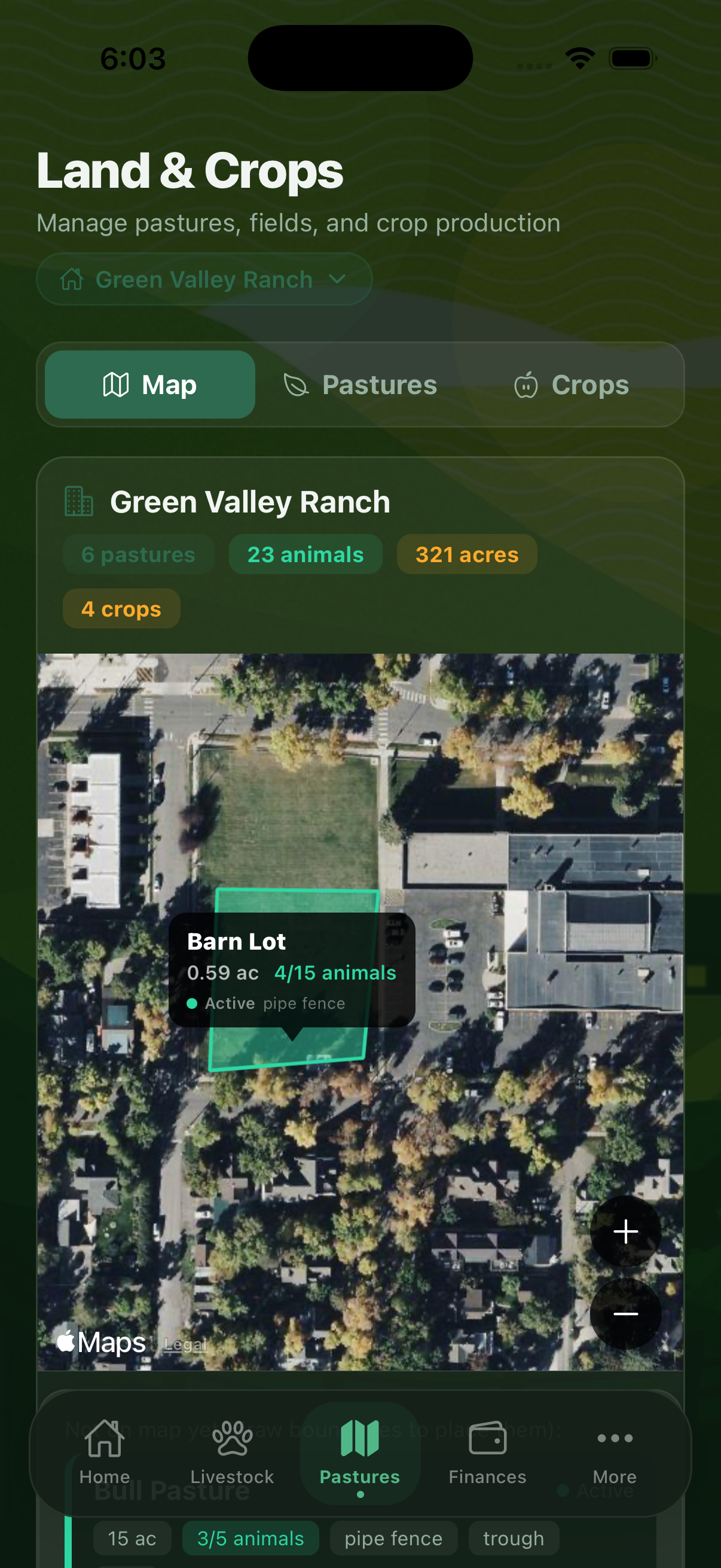
The Land tab in Barnsbook™ is your pasture management hub. Whether you run one paddock or a rotational grazing system with a dozen pastures, Barnsbook helps you track what's where, monitor stocking rates, and plan your grazing rotations effectively.
Adding Pastures
Tap the + button in the Land tab to add a new pasture. Each pasture record includes:
- Name — your label for this paddock or field
- Size — acreage or hectares
- Forage type — grass species, mixed pasture, hay field, or crop
- Status — currently grazed, resting, cut for hay, or fallow
- Water sources — ponds, tanks, or troughs available in this pasture
- Soil type — for reference when applying fertilizers or amendments
- Notes — any additional details about the field
Stocking Rates
Barnsbook tracks the stocking rate for each pasture by counting the animals currently assigned to it. As you move animals between pastures, the stocking rate updates automatically. You can see which pastures are over-stocked, under-stocked, or at ideal capacity at a glance in the Land tab list.
Grazing Rotations Pro
With a Pro subscription, Barnsbook lets you manage grazing rotations — scheduled moves between pastures to allow recovery time. You can:
- Record when animals entered a pasture and when they should move
- Set a minimum rest period before a pasture is grazed again
- View a rotation schedule showing current and upcoming moves
- Log grazing events to track how each pasture has been used over time
Rotational grazing improves pasture health and carrying capacity. Use Barnsbook's rotation planner to avoid overgrazing and maximize forage yield.
Forage Calculator Pro
The Forage Calculator (More > Farm Management) estimates dry matter availability and your ranch's carrying capacity. Enter your pasture size, forage type, and current growth stage. The calculator estimates how many animal units (AU) the pasture can support and for how many days, helping you plan moves before pastures become overgrazed.
Moving Animals Between Pastures
To move animals, open a pasture record and tap the animals listed inside. You can select multiple animals at once and reassign them to a different pasture. The move is logged with a date so you have a history of which animals were in each pasture and when.
Free vs. Pro Limits
The free tier includes up to 5 pastures. A Pro or Premium subscription removes this limit so you can add as many pastures as your operation requires. Grazing rotations and the forage calculator require Pro or Premium.
Manage every acre of your farm
Download Barnsbook and start with up to 5 pastures on the free plan. Upgrade to Pro for unlimited pastures, rotations, and the forage calculator.
Download on the App Store