Premium BarnsBook's AI tools analyze the records you have already entered. They run on your device, so your herd data is not sent to an AI service. Their quality depends on the records you keep: the more complete your health, weight, breeding and expense entries, the better the output.
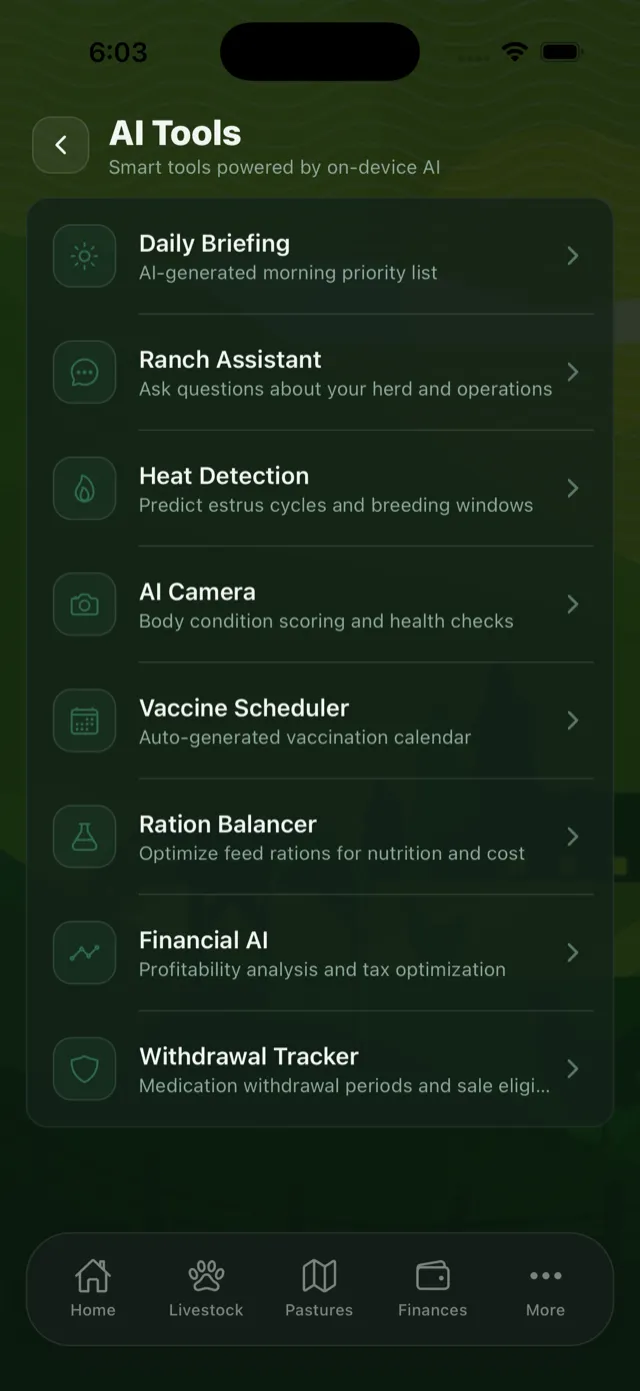
Daily Briefing
A prioritized morning list for the ranch: items marked critical, high, medium or low, with counts for animals, tasks today, calvings and withdrawals. The Home screen shows a short digest of it, and you can turn on a morning notification.
Ranch Assistant
Ask questions in plain English. About your own records, for example “How many cattle do I have?”, “Which animals are pregnant?”, “How much have I spent this month?” or “Which animals need vaccination?”. Or about general livestock and farming topics. It answers from your data where it can and from its built-in knowledge otherwise. The chat runs on the device.
Health tools
- Health Anomalies and Health Patterns: unusual treatment frequency, clusters of illness, rising medication costs, with a herd health score.
- Vaccine Scheduler: builds a vaccination plan from standard protocols and shows what is overdue, due now or upcoming.
- Withdrawal Tracker: animals under withdrawal and a sale eligibility check. See Health & vaccinations.
- AI Camera: guided, photo-based assessments for body condition score (1 to 9), a symptom-matching health check and a pasture forage assessment. You score what you see; results are saved to the animal's or pasture's record. Automatic scoring from the photo is not in the app yet.
Breeding and calving tools
- Calving Watch: risk-scored list of animals due soon. See Breeding, calving & weaning.
- Heat Detection: estrus predictions and breeding windows.
- Fertility, pregnancy and weaning analytics: success rates, sire performance and weaning outcomes.
Feed and money tools
- Ration Balancer and Feed Depletion Forecast. See Feed & hay.
- Financial AI has three tabs: Profitability (per-animal investment, market value and ROI), Tax Optimizer (Schedule F analysis) and Market Timing (sell, hold or finish signals for market animals).
- Market Prices estimates what animals are worth from weight, species and breed using benchmark prices built into the app. It does not read live market quotes.
- Profit Forecast, Expense Anomaly Detection, AI Quick Add and Voice Expense for entering and checking expenses. See Expenses & revenue.
AI Document Scanner
Photograph or choose a vet invoice, a feed receipt or an animal registration, or paste the text. BarnsBook detects the type and pulls out the fields, then offers to Create Health Records, Create Expense, Update Feed Inventory or Create / Update Animal. Review the fields before saving, since scanned text can be misread.
Analytics & Forecasts
More → Analytics & Forecasts collects the deeper reports in one place: predictions and forecasts (market prices, profit forecast, growth performance, feed depletion, calving watch, health and expense anomalies, heat detection), financial analytics (revenue, expense trends, vendor and supply analysis), herd and breeding analytics, health and production analytics (including milk production), and farm operations analytics (pasture, equipment, crops, certifications and task performance).
Where the AI runs
A small AI model ships inside the iPhone and iPad app. Premium can also download a larger “enhanced” model from the AI Model section of Settings, which is a big one-time download, so use Wi-Fi. After that, answers are produced on the device with no connection. See Data & privacy.