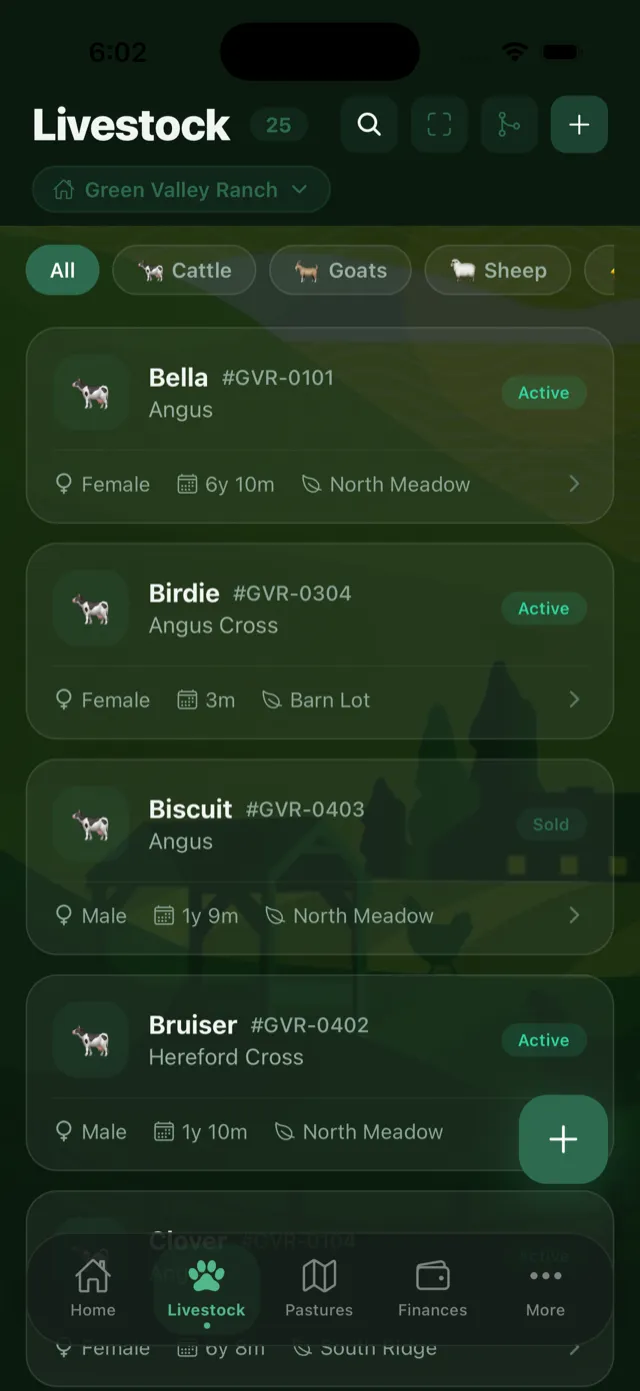
The Livestock tab lists every animal on the current ranch. Search by name, tag or breed, filter by species, and tap an animal for its full record.
Add an animal
Tap +. Name, species and sex are required. Species are cattle, horse, goat, sheep, pig, poultry and other.
- Identity: tag number, EID tag number, breed, date of birth, color or markings. Add a photo later from the animal's record.
- Status: Active, Quarantine, Sold or Deceased.
- Location: the pasture the animal is in.
- Purchase: price and date, which feed the animal's financial summary.
If you enter an EID, BarnsBook can suggest the species from the number and asks you to verify it.
The animal record
Open an animal to see its information, lineage (sire and dam), pasture and group, health records, weight history with average daily gain, breeding history (including whether it is currently pregnant, with due date), a financial summary of health costs and total investment, and notes. Tap the photo area to add a photo.
The Actions section at the bottom has:
- Edit Animal and Move to Pasture.
- Record Sale: sale date, price and buyer, with an option to add the sale to your revenue as a livestock sale.
- Record Death and Delete Animal.
EID lookup
If your animals have electronic ID tags, More → EID Scanner finds an animal from its 15-digit EID number. Type or paste the number: a match opens the animal, and an unknown tag offers Register New Animal with the EID filled in.
Chute sessions
A chute session is a quick loop for working animals through the chute: look each one up by EID (or type the number), then add what you did to it.
Print your herd list
On the Livestock screen, tap the print icon (Print List) to create a PDF of the animals currently showing, so you can print it or share it. Filter or search first to print just one group. It is free on every plan.
Lineage, lifecycle and groups
- Pedigree (More → Pedigree) draws an animal's family tree and offspring from the sire and dam you set.
- Lifecycle Stages tracks stages like calf, yearling, heifer, steer, cow and bull (and the sheep, goat, pig and horse equivalents) and suggests updates as animals age.
- Animals can be assigned to a pasture and a group so you can see who is where.
The free plan holds 15 active animals; Pro and Premium are unlimited. See Plans & free limits.